The Guardian - US & World News
- 4.6
- Rating
- 5.00M
- Installs
- Free
- Price

 Analysis by App-foxy
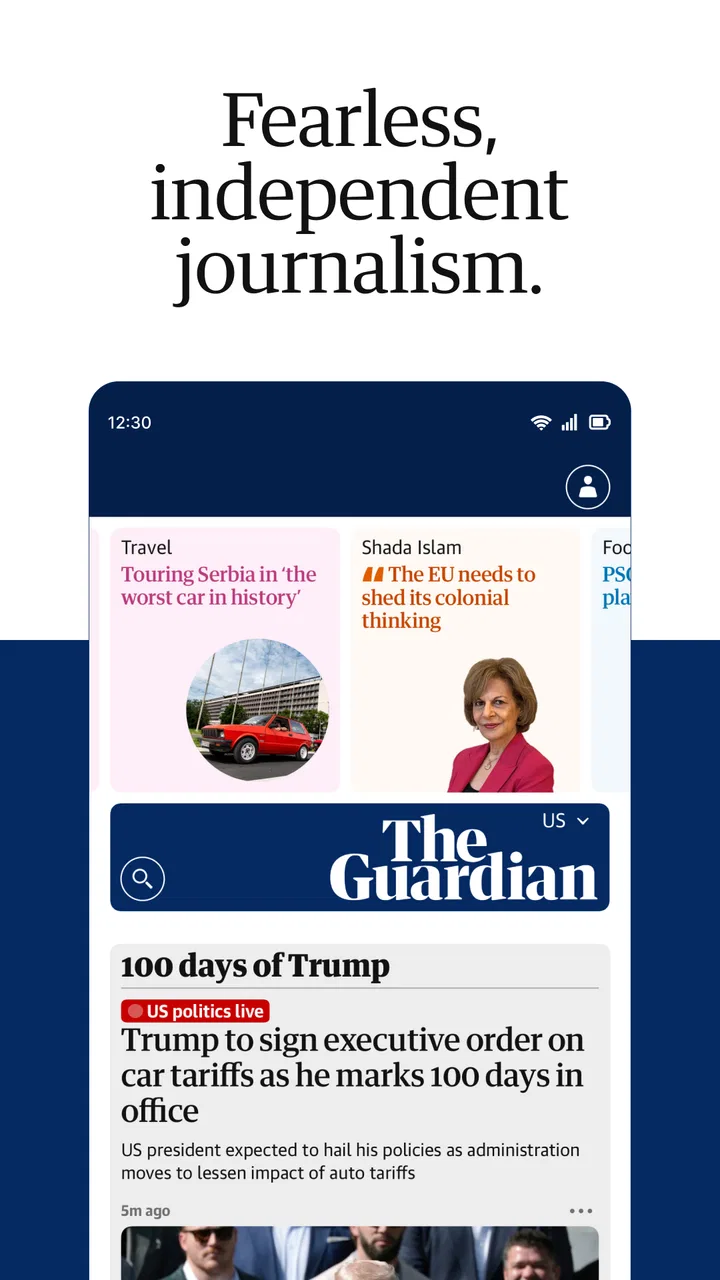
I installed The Guardian to see whether it could become a practical daily news habit rather than just another headline feed. My short answer is yes, especially if you value reporting, opinion, international coverage, sport, podcasts, and puzzles in one place. It is a free News & Magazines app from Guardian News & Media Ltd, and its broad reach is reflected in an average rating of 4.6 from around 405 thousand ratings, with more than 5 million installs.
What stood out to me was the feeling of opening a publication with a clear editorial identity instead of browsing an anonymous stream. The app gives me plenty to read, but it also encourages slower attention through analysis, long-form journalism, audio content, and puzzles. That makes it more useful than a quick breaking-news reader for some people, while making it less suitable for anyone who wants nothing beyond instant alerts and a very compact briefing.
How the app feels in everyday use
The Guardian works best when I treat it as a flexible newspaper rather than a single-purpose news alert tool. I can check the main coverage quickly, then move into a detailed article, switch to sport, listen to a podcast, or take a break with a puzzle. That range is the app’s central strength: it supports several moods without requiring me to jump between separate services.
You May Also Like

 Blood Strike: 2.5 Anniversary
Blood Strike’s Loadouts Turn Every Drop Into a Tactical Gamble
A close look at Blood Strike’s custom loadouts: how fast access to signature weapons reshapes its battle royale rhythm, rewards preparation, and narrows the gap between fights.

 Pandora - Music & Podcasts
Pandora’s Music Is Easy to Start, but Harder to Recover
Pandora’s strength is its low-effort path from a seed to a station. Its weak spot is how much confidence it asks you to place in connection, setup, and quiet recovery.

 8 Ball Pool
 Is Built on Rivalries, Rematches, and Routine
A close look at the rivalries, rematches, shared routines, and unanswered safety questions that turn a quick pool match into a persistent mobile community.

 Samsung Music
’s Quiet Strength Is Playing What You Already Own
Its reach comes less from spectacle than from dependable access to a personal library. That simplicity is both the app’s strongest retention engine and its ceiling.

 AccuWeather: Weather Radar
AccuWeather Review: A Quick, Clear Forecast for Everyday Decisions
For everyday plans, the best forecast is the one you can understand quickly. AccuWeather makes rain timing, radar, and local conditions easy to act on, with a few trade-offs.

 Hill Climb Racing
Why Hill Climb Racing Still Turns Crashes Into One More Run
A tiny car, a bumpy hill and one more upgrade: Hill Climb Racing keeps resurfacing because its simple chaos makes every near-miss feel personal.
More From Our News Desk
View All News


Its coverage is particularly appealing to readers who want a global perspective alongside opinion and analysis. I found that useful on mornings when I wanted to understand the background behind a story rather than simply see that it had happened. The app is also a good companion during a commute or lunch break because reading and listening serve different situations. When I have only a few minutes, I scan headlines. When I have more time, I follow a story through its context and commentary.
The interface is not trying to turn news into a game-like feed. That is a positive for me, because the experience feels more deliberate than the endless scrolling found in many general news aggregators. The trade-off is that I sometimes need to make a choice about what to read instead of relying on an algorithm to keep serving increasingly tailored items. Readers who enjoy editorial selection may appreciate that approach; readers who expect extreme personalization may find it less immediate.
A realistic daily routine would be to open the app with coffee, read the leading news items, save one analysis piece mentally for later, and then use the podcast section while walking. In the evening, sport and puzzles make the same app feel less like a work tool. That variety is not just a list of sections: it changes how useful the app is across the day.
News, opinion, sport and audio in one place
The mixture of formats is more important than it first appears. News articles help me catch up, opinion pieces invite interpretation, and analysis gives a story more depth. Sport offers a different reading rhythm, while podcasts work when looking at a screen is inconvenient. Puzzles provide a clear break from current events, which is welcome when I want to stay connected to the publication without consuming more difficult news.
I would recommend the app to someone who wants one dependable place for serious reading but does not want every session to feel identical. It is also useful for readers who follow several subjects and prefer a publication’s own organization over a collection assembled from unrelated sources. The experience feels coherent because the sections belong to the same editorial environment.
That coherence has a downside. If you only care about a narrow local beat, a specialist publication or regional app may be faster and more focused. The Guardian can give you a wide view, but wide coverage inevitably means that a particular local story may not receive the same attention as it would in a dedicated local newsroom.
Who will get the most from it
I think the strongest audience is made up of curious readers who want more than headlines: people who compare reporting with commentary, follow international developments, listen to podcasts, or enjoy returning to a puzzle after reading. Students and professionals may also find the combination useful when they need background for a discussion, project, or meeting, although I would still check primary documents when making an important decision.
The app is less convincing for someone who wants a completely neutral-looking stream with stories from many publishers. It is also not my first choice for a reader who dislikes editorial opinion or wants every item reduced to a short summary. The Guardian’s personality is part of its appeal, but that also means it will not match every reader’s preferred tone or balance.
The age classification is Everyone 10+, which fits a news service that can cover serious and sensitive subjects. I would still use personal judgement before handing it to a younger child, because current events can be difficult even when an app is broadly suitable for families.
What has changed and how that matters to regular readers
The app has been available since September 7, 2011, so it is not a new experiment. That history matters because the current product feels like a mature digital publication rather than a basic mobile wrapper around a website. Its continued focus on multiple formats suggests an evolution from simple article access toward a broader reading and listening routine.
The most meaningful development, from a user’s perspective, is not a single flashy feature. It is the way the experience brings independent news, opinion, analysis, sport, podcasts, and puzzles together without making each area feel like a separate product. For existing users, that means the app can remain useful even when their news habits change. Someone who originally installed it for headlines may later use it for audio or puzzles, while a podcast listener may discover longer written coverage.
I would describe the evolution as a widening of purpose rather than a complete change of identity. The app still makes sense as a news reader first, but it now works better as a daily media companion. That is valuable for people who dislike maintaining several apps, though it can also make the home experience feel busy when all I want is one specific story.
Regular readers should also understand the difference between the free download and the broader support model around it. The app itself costs nothing to install, while optional in-app purchases range from $0.99 to $144.99 per item. I see that as an important practical detail: the free entry point is friendly, but users should pay attention to purchase prompts and choose deliberately if they want to support the publication or access an optional offering.
Small habits that improve the experience
My first tip is to separate quick checking from intentional reading. I get more value when I scan the main coverage once, then choose one article based on relevance rather than opening every headline. This prevents the app’s breadth from turning into a long, unfocused session.
My second tip is to switch formats according to the situation. I use written analysis when I want to compare arguments carefully, podcasts when I am away from the screen, and puzzles when I want a mental reset. Treating those sections as different tools makes the app feel less repetitive and helps justify keeping it installed.
A third useful approach is to use the app as a starting point for research, not as the only source for high-stakes conclusions. An article can provide valuable context and lead me toward the right questions, but decisions involving money, health, legal matters, or formal academic work deserve additional checking. This is not a criticism unique to The Guardian; it is simply a sensible boundary for any news app.
For existing users, the biggest benefit of this broader structure is continuity. I do not need to leave the app when I move from a breaking story to a deeper explanation or from reading to listening. The main friction is that the same breadth can make it harder to create a perfectly quiet, minimalist reading environment.
Where the experience still falls short
The app’s range can feel like clutter if I open it without a clear intention. A focused reader may prefer a simple chronological list, while this publication-style approach asks me to navigate between editorial areas. That is a reasonable design choice, but it is not automatically the best one for every habit.
Another limitation is that the app cannot replace specialist services in every situation. A dedicated sports app may offer faster live detail for a particular competition, and a local news app may provide more useful information about nearby events. Likewise, a podcast app may be better if audio discovery, queue management, and cross-publisher subscriptions are your main priorities.
The free model also requires awareness. Because optional purchases can be inexpensive or quite substantial, I would not tap through a payment screen casually, especially on a shared device. The app remains easy to try without paying, but readers should decide what they want from it before committing to any optional purchase.
There is also a personal tolerance question. I enjoy a publication with a recognizable voice, but some readers may prefer an aggregator that places many viewpoints side by side with less editorial framing. If your main goal is to compare outlets quickly, another kind of app may suit you better. If your goal is to follow one established newsroom across several formats, The Guardian is more compelling.
What I would watch as the app continues
Because the product has already grown beyond a basic article reader, I would watch how well it keeps its sections balanced. More content is not automatically better if finding the most relevant item becomes harder. The ideal direction would preserve the depth of analysis and the variety of audio, sport, and puzzles while making personal routines easier to maintain.
I would also pay attention to how clearly the app distinguishes free reading from optional paid support. A transparent experience helps readers understand what they can do without spending and what a purchase changes. That clarity matters more than adding another decorative feature.
For current users, the practical question is whether the app still fits their day. If you now use podcasts more than articles, or puzzles more than headlines, its expanded role may make it more valuable than when you first installed it. If you only want a tiny list of urgent alerts, the wider experience may feel unnecessary.
My overall view is positive because the app gives me several genuinely different reasons to return. It is free to start, comes from Guardian News & Media Ltd, and has built a substantial audience, with around 21 thousand written reviews alongside its much larger rating base. Those figures do not decide whether it suits an individual reader, but they do match my impression of a well-established app rather than an unfinished newcomer.
The Guardian is best when you want a thoughtful, multi-format news habit rather than a bare notification panel. I would recommend it to readers who appreciate independent journalism, international coverage, analysis, sport, podcasts, and puzzles, and who are comfortable choosing what deserves their attention. I would steer someone toward a local specialist, a sports-first service, or a broad aggregator if those are the priorities. For me, the app earns its place by making serious reading and lighter breaks available in the same environment, while still leaving enough room for the user to decide how deeply to engage.
FAQs for The Guardian - US & World News
01What features does The Guardian - US & World News app offer?
The Guardian app provides comprehensive news coverage, including US and world news, politics, sports, culture, and more. Users can customize their news feed, save articles for offline reading, and receive notifications for breaking news. The app also offers high-quality journalism with multimedia content such as videos and photo galleries.
02Is The Guardian app free to use, or does it require a subscription?
The Guardian app is free to download and offers a range of articles and features without any cost. However, there is an optional subscription available that provides an ad-free experience and supports the journalism efforts. The subscription also grants access to premium content and exclusive features.
03How reliable is the news content provided by The Guardian app?
The Guardian is known for its commitment to high-quality, independent journalism. The app delivers news that is thoroughly researched and fact-checked by professional journalists. It adheres to strict editorial standards, ensuring users receive accurate and unbiased reporting on a wide array of topics.
04Can I personalize my news feed in The Guardian app?
Yes, The Guardian app allows users to customize their news feed according to their interests. You can select specific topics, sections, or regions you want to follow closely. The app then curates content based on your preferences, ensuring a personalized and relevant news experience.
05Does The Guardian app support offline reading?
The Guardian app does support offline reading. Users can save articles to read later without an internet connection. This feature is particularly useful for those who want to catch up on news while traveling or in areas with limited connectivity, ensuring you stay informed at your convenience.
Pros
- Comprehensive global news coverage.
- User-friendly interface for easy navigation.
- Customizable news alerts.
- Offline reading available.
- High-quality investigative journalism.
Cons
- Ads can be intrusive at times.
- Requires an account for full features.
- Some articles behind a paywall.
- Occasional app crashes reported.
- Limited video content options.

The Guardian - US & World News
Gallery